Brainy turns their curriculum into a short daily game for ages 5 to 11. Maths, Quantitative and Verbal Reasoning, and English Grammar, pitched at your child's class and getting harder as they get better.
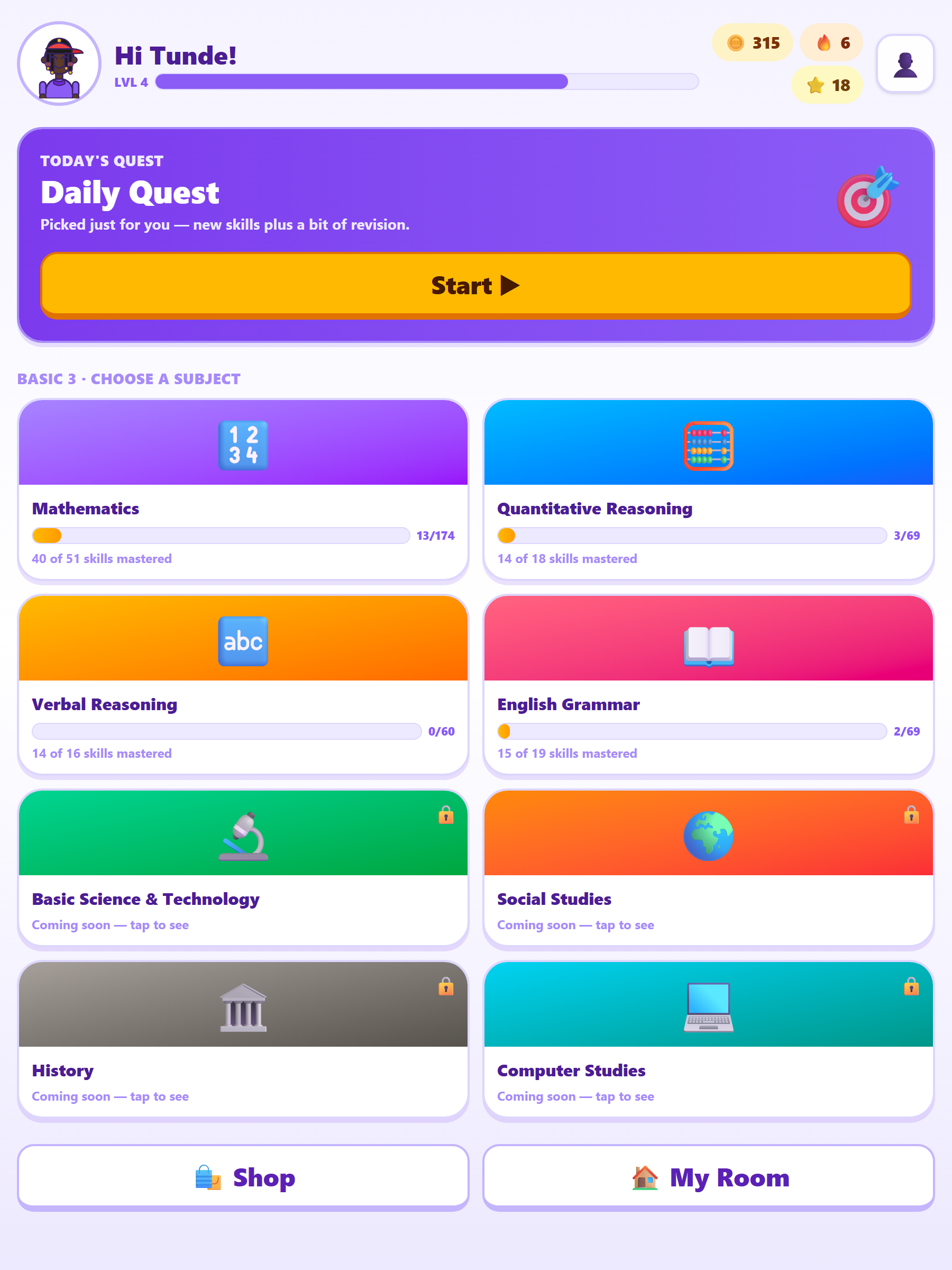
Set it up once, hand over the device, and check the report when you want to.
Enter their first name and age. Brainy works out the class (a 7-year-old is Basic 3 here, Year 3 in Britain, Grade 2 in America), and you can change it.
Ten questions, about five minutes. They earn coins, keep a streak, and collect characters and pets. There are no lives to lose and no way to fail.
The grown-up area shows what is going well, what is not, the actual questions they got wrong, and one practical thing to try away from the screen.
Nigerian UBE is complete for Basic 1–6 across Mathematics, Quantitative Reasoning, Verbal Reasoning and English Grammar. The British National Curriculum and American Common Core packs are maths across every class — Years 1–6 and Kindergarten–Grade 5 — with the other subjects still to come. Switching is built in and each child keeps separate progress in each curriculum, so nothing is lost when the rest lands.
Every skill in every class is listed and counted, along with what is still missing and what changed when. Read it before you choose a curriculum, especially if your child is British or American.
See exactly what is in each curriculum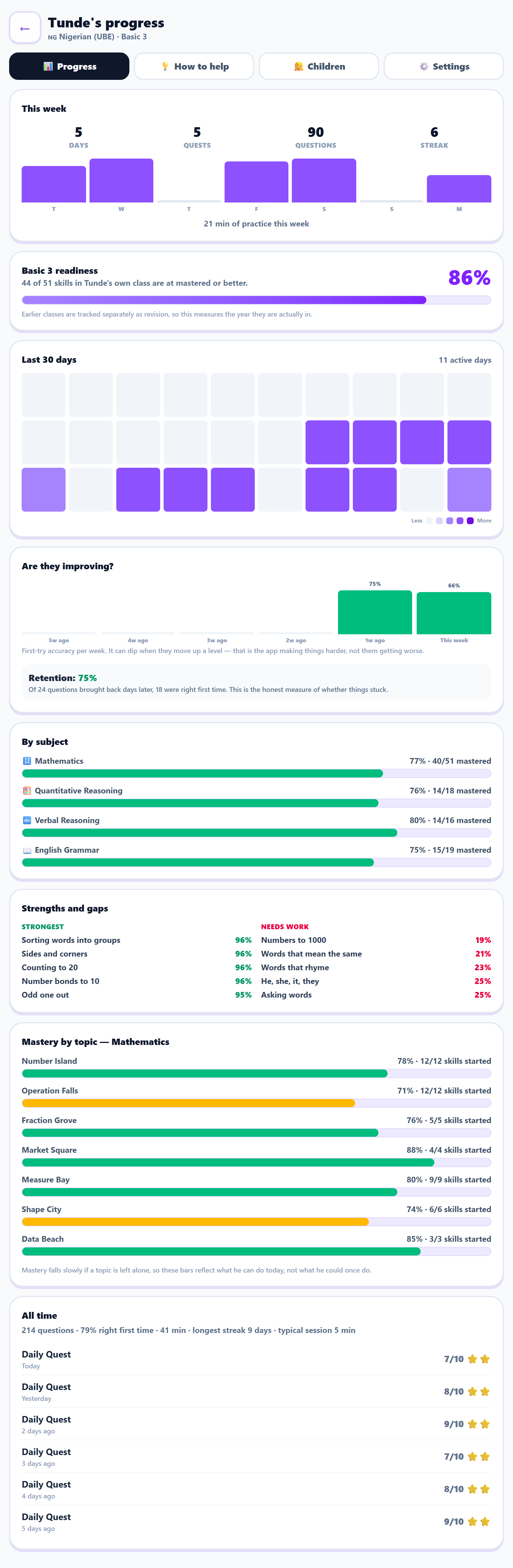
Not a wall of numbers. The three things worth acting on, in under a minute.
Every one of these is a deliberate decision, not an oversight.
No lives, no lock-outs. A wrong answer shows the right one, explains it in a sentence, and asks again later. Every quest pays coins, however it went.
Questions get harder as they improve and easier when they struggle, without ever telling the child that happened. You can pin the level yourself if you prefer.
Long questions are read out automatically. A child who can do the maths shouldn't be marked down for not yet reading "altogether".
Timing a child who is still building fluency mostly measures anxiety. There is a race mode if they want one. You turn it on, and you set the length.
Characters across the full range of skin tones, free from the first screen, plus pets to collect with earned coins.
Several children on one tablet, each with their own progress, coins and report. Moving to a new device is a sign-in.
This is a children's app, so the rule is that what they type and what they get wrong stays on the tablet, and every switch is yours. Here is the whole list, in plain words.
Both of those are yours to change whenever you like, from the grown-up area, in one tap. Turning either off stops us collecting and deletes what was already collected.
Brainy asks you to add it to the home screen first, then you set up inside it. That way it is set up once, in the place your child will actually open it, and it plays offline from then on.
Coming soon


Your child's class in Mathematics, and every earlier class as revision, is free for everybody, permanently. No card, no time limit, and no account needed to try it.
₦5,000/year
opens every other subject for every child on your tablet. Pay by card or bank transfer from the grown-up area inside the app, whenever you are ready.
Maths is free for every child, for good, and that costs something to keep true: servers, email, and the hours that go into writing questions a Nigerian seven-year-old actually recognises. If Brainy has been useful and you would like to chip in, this is where.
Our account details load here. If they do not appear, email brainy@fortbridge.app and we will send them.
Any amount, once or whenever you like. Put DONATION as the narration so we do not mistake it for a subscription payment, and email us if you would like a thank-you or a word about where it went.
To be straight with you: Fortbridge Technologies Ltd is a company, not a charity. A donation is a gift rather than a tax-deductible one, it buys no licence and no priority, and it changes nothing about what your child can use. If you would rather pay for something, the licence above is the thing to buy.
 Brainy